


Get In Touch
Our customer support team is available for help.
Let's Talk Business!
© Copyright 2026 @ ERP Peers


Customer support requests can quickly become difficult to manage when they arrive through multiple channels such as email, web forms, or customer portals. Businesses need a structured way to track issues, assign them to support agents, and monitor their resolution.
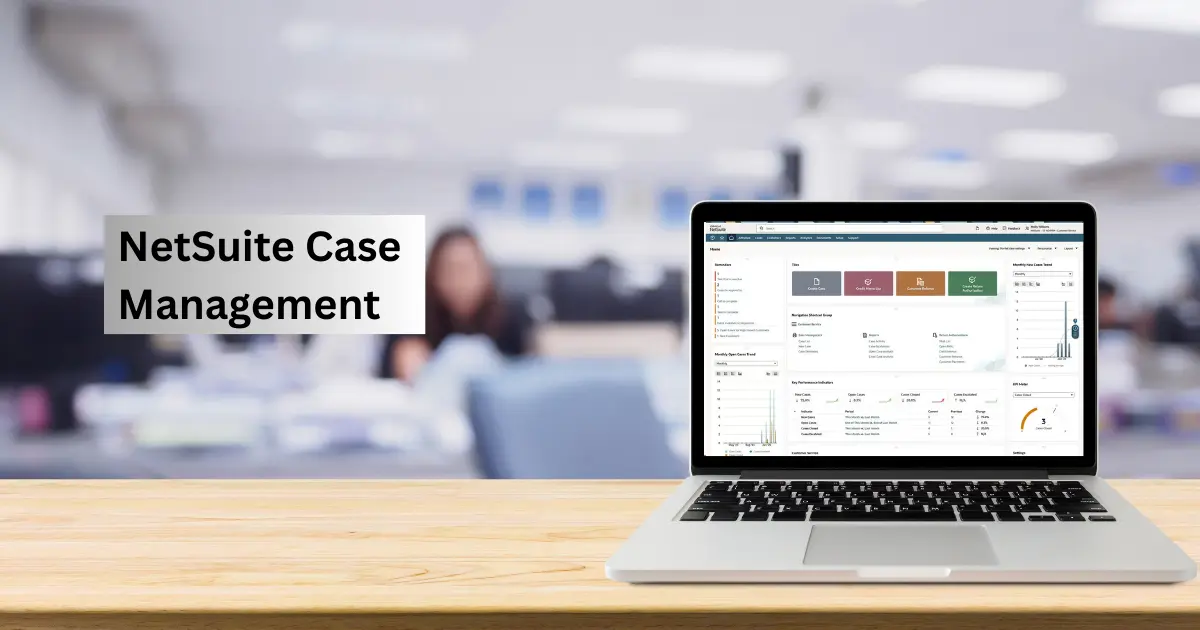
NetSuite provides this capability through Case Management, a feature within NetSuite CRM used to record and manage customer service requests. Each request is stored as a Case, which functions similarly to a support ticket in traditional helpdesk systems. Through case records, support teams can track issues, manage communication, and ensure that requests are resolved efficiently.
NetSuite Case Management is the system used to manage customer service and support requests inside NetSuite. Instead of tickets, NetSuite uses Case records to track issues reported by customers or internal teams.
A case acts as a central record for a support request. It stores key details such as the customer, issue description, assigned support agent, status, priority, and the full history of communication related to the request.
Because case records are part of NetSuite CRM, they can also be linked to other business data such as customer accounts, transactions, or products. This gives support teams the context they need to investigate issues and respond more effectively.
In practice, Case Management functions as NetSuite’s ticketing system, allowing businesses to track, manage, and resolve support requests within the same platform used to run their operations.
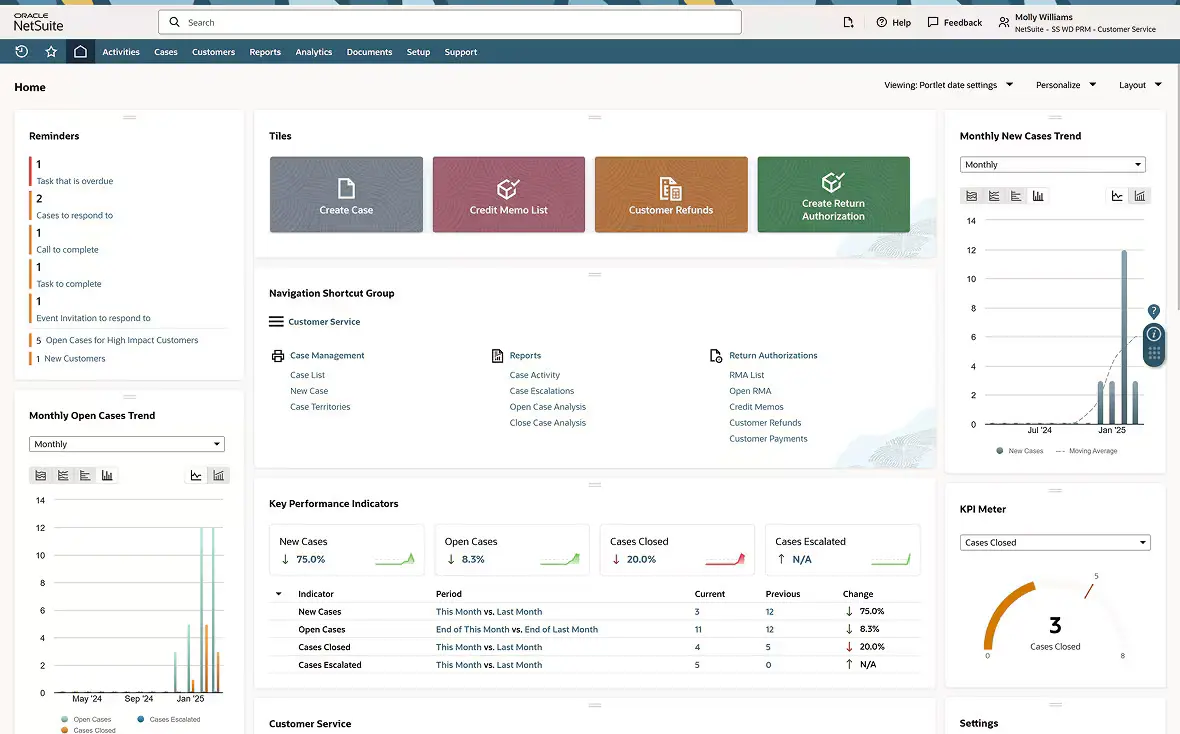
In NetSuite, customer support requests are handled through Case records, which function as support tickets. Each case tracks the lifecycle of an issue from the moment it is reported until it is resolved.
A case acts as the central record for a support request. It stores information about the issue, the customer who reported it, the assigned support agent, the current status, and the communication history related to the request. Because this record stays updated as the issue progresses, support teams always have a clear view of what has been done and what still needs attention.
Support cases can originate from multiple sources depending on how a business interacts with its customers.
Common ways cases are created in NetSuite include:
Each new case receives a unique case number, making it easy to track and reference the request.
Once a case is created, it must be assigned to the appropriate support representative or team. NetSuite allows cases to be assigned either manually or through automated rules.
Assignment can be based on factors such as:
Automated routing helps ensure that cases reach the right team quickly, reducing response times and improving support efficiency.
NetSuite uses case statuses to track the progress of a support request. These statuses help support teams understand the current stage of each issue and prioritize work accordingly.
A typical case status workflow may look like this:
| Case Status | Description |
|---|---|
| New | Case has been created but not yet reviewed |
| Assigned | Case has been assigned to a support agent |
| In Progress | Agent is actively working on the issue |
| Waiting on Customer | Additional information is required from the customer |
| Escalated | Issue requires higher-level attention |
| Resolved | Solution has been provided |
| Closed | Case is completed and no further action is required |
Statuses can be customized to match a company’s support process.
All interactions related to a case are stored within the case record. This includes emails, internal notes, and attachments shared during the resolution process.
Maintaining this communication history helps support teams:
Once the issue has been addressed, the support agent updates the case with the resolution details and changes the status to Resolved or Closed. This creates a record that can be reviewed later for reporting, troubleshooting patterns, or knowledge base creation.
Over time, this historical case data becomes valuable for identifying recurring issues, improving support processes, and enhancing customer service operations.
NetSuite Case Management includes several capabilities that help support teams manage requests efficiently while keeping customer information connected to the broader CRM and ERP environment. These features allow businesses to capture issues from different channels, assign them to the right teams, track their progress, and monitor service performance.
Below are some of the most important features that make Case Management function as a practical ticketing system inside NetSuite.
Support requests can enter the system through different channels depending on how customers interact with the business. NetSuite allows cases to be generated from both customer-facing and internal sources.
Common case creation channels include:
Capturing requests directly into NetSuite ensures that issues are not lost in email threads and are properly tracked from the start.
Once a case is created, it needs to be directed to the right person or team. NetSuite supports both manual and automated case assignment.
Support managers can configure assignment rules based on factors such as:
This helps distribute cases efficiently and ensures that the most qualified team members handle specific types of requests.
Not all support issues have the same level of urgency. NetSuite allows cases to be assigned priority levels, helping teams focus on the most critical problems first.
Typical priority levels might include:
Escalation rules can also be configured so that unresolved cases are automatically flagged or reassigned when they exceed predefined response or resolution times.
NetSuite provides a Customer Center portal where customers can interact directly with the support system. Through this portal, customers can:
This self-service capability reduces the need for back-and-forth emails and gives customers visibility into the progress of their requests.
All communication related to a support case is recorded within the case record. This includes both external and internal interactions.
Examples of logged activities include:
Keeping a complete communication history ensures that anyone reviewing the case can understand the full context of the issue.
NetSuite also provides reporting capabilities that allow managers to monitor the performance of their support operations. Case data can be used to track trends and identify areas for improvement.
Common support metrics include:
| Metric | What It Measures |
|---|---|
| Case volume | Number of support requests received |
| Resolution time | Average time taken to resolve issues |
| Response time | Time taken to respond to new cases |
| Case backlog | Number of unresolved cases |
| Agent workload | Distribution of cases across support staff |
These insights help organizations evaluate service performance and improve their support processes over time.
For businesses already running their operations on NetSuite, using Case Management as a ticketing system offers several practical advantages. Instead of managing support requests in a separate helpdesk platform, cases can be handled within the same system that stores customer, order, and financial data.
This integration often makes support teams more effective because they can investigate and resolve issues without switching between multiple tools.
Every support request is stored as a Case record in NetSuite. This creates a structured and searchable repository of customer issues, interactions, and resolutions.
Having all support records in one place helps teams:
Over time, this case history becomes valuable for troubleshooting recurring issues and improving support processes.
Because Case Management is part of NetSuite CRM, support agents can access important customer information directly from the case record.
This may include:
For example, if a customer reports a billing concern or a shipment issue, the support team can quickly review the related transaction without leaving the system. This reduces investigation time and improves the accuracy of responses.
Unlike standalone ticketing tools, NetSuite connects support activities with operational data across the organization. Cases can be linked to other NetSuite records, allowing teams to see how support issues relate to ongoing business transactions.
Examples include:
This integration helps support teams resolve issues faster because all relevant information is accessible within the same environment.
Structured workflows and automation help support teams manage requests more efficiently. Features such as automated assignment, status tracking, and escalation rules reduce the amount of manual coordination required.
These capabilities help teams:
As a result, support teams can handle a higher volume of requests while maintaining service quality.
Managers can use case reports and dashboards to monitor support performance and identify operational trends.
Key insights might include:
This visibility helps organizations identify bottlenecks, allocate resources more effectively, and continuously improve their customer service operations.
NetSuite Case Management is flexible enough to support different types of service workflows. Businesses use it to manage a variety of customer and internal support processes.
Companies often use cases to track product-related issues such as defects, troubleshooting requests, or usage questions.
Cases can also be created when customers report problems related to orders, shipping delays, invoice discrepancies, or payment inquiries.
For businesses serving other companies, cases provide a structured way to manage ongoing service requests and account-related issues.
Some organizations also use Case Management for internal support, allowing employees to submit requests related to IT systems, operational processes, or internal services.
While NetSuite Case Management provides a structured way to manage customer support requests, it is important to understand that it is not a specialized helpdesk platform. The feature is designed to support customer service operations within the broader NetSuite CRM environment rather than replace advanced service management tools entirely.
For many businesses already using NetSuite, Case Management works well as an integrated ticketing system. However, there are a few limitations to consider depending on the scale and complexity of the support operation.
Dedicated helpdesk platforms often include advanced service management features such as multi-channel messaging, AI-driven ticket routing, or complex service automation. NetSuite Case Management focuses more on structured case tracking and customer service workflows rather than highly specialized support capabilities.
For organizations with very large support teams or complex service environments, additional tools may sometimes be integrated with NetSuite.
Out of the box, the standard case management setup may not fully match every organization’s support workflow. Businesses often customize elements such as:
While NetSuite provides flexibility for customization, configuring these workflows properly may require administrative setup or implementation support.
Modern customer support operations often handle requests through multiple channels such as chat, social media, and messaging platforms. NetSuite’s native case management primarily focuses on email, portal submissions, and manual case creation.
Businesses that rely heavily on real-time support channels sometimes integrate external communication tools that create cases in NetSuite.
Case Management delivers the most value when customer support teams are already working within the NetSuite environment. Businesses that manage customer interactions primarily through external systems may find standalone helpdesk platforms more specialized for their needs.
However, for companies running CRM, sales, and operations within NetSuite, keeping support requests inside the same system often simplifies workflows and improves data visibility.
To get the most value from NetSuite Case Management, businesses should structure their support processes carefully. A well-designed case workflow helps ensure that requests are handled consistently and efficiently.
Support teams should define clear status stages that reflect how issues move through the resolution process. A consistent workflow helps agents understand the current stage of each case and what actions are required next.
Typical workflows include stages such as New, Assigned, In Progress, Waiting on Customer, Resolved, and Closed.
Automating case assignment helps route requests to the appropriate team quickly. Assignment rules can distribute cases based on factors such as product type, issue category, or support department.
This reduces manual coordination and ensures that cases reach the right specialists faster.
Not every case requires the same level of urgency. Support teams should define priority levels and escalation rules so that high-impact issues receive immediate attention.
This ensures that critical problems affecting customers or operations are addressed quickly.
Encouraging support agents to document communication, troubleshooting steps, and final resolutions within each case creates a valuable knowledge record.
Over time, this documentation can help teams resolve similar issues more quickly and support knowledge-sharing across the organization.

NetSuite Case Management provides a structured way for businesses to manage customer support requests within the NetSuite environment. By tracking issues as Cases, organizations can create a centralized system for recording support inquiries, assigning responsibility, and monitoring resolution progress.
Although NetSuite uses different terminology than traditional helpdesk tools, the functionality effectively works as a ticketing system, allowing support teams to manage requests from creation through resolution. Because cases are connected to customer records and business transactions, support agents gain valuable context that helps them investigate and resolve issues more efficiently.
For businesses already using NetSuite for CRM and operational processes, Case Management offers a practical way to manage customer service without relying on separate support systems. With proper configuration and clear workflows, it can become an important part of delivering consistent and responsive customer support.
Our customer support team is available for help.